'%20stroke-width='30'/%3e%3crect%20x='215'%20y='195'%20width='66'%20height='66'%20rx='20'%20fill='%23D4A43A'/%3e%3c/svg%3e)
Showcases
Applications whose terminal UI is built on tuika — what they are, and what the toolkit looks like once it is carrying a real product. At the end, two in-repo examples: a polished application shell and a replica of a well-known agent UI.
Building something on tuika? Open a PR adding it here.
yolop
A terminal coding agent that plans, edits, runs, and verifies code in your repository: persistent sessions, agent skills, MCP servers, and editor integration over the Agent Client Protocol. Its full-screen renderer is built on tuika — the transcript, the streaming markdown and highlighted code, the tool cards, the composer, and the status footer are all tuika components under tuika’s layout and host loop.
everruns.com/yolop · github.com/everruns/yolop
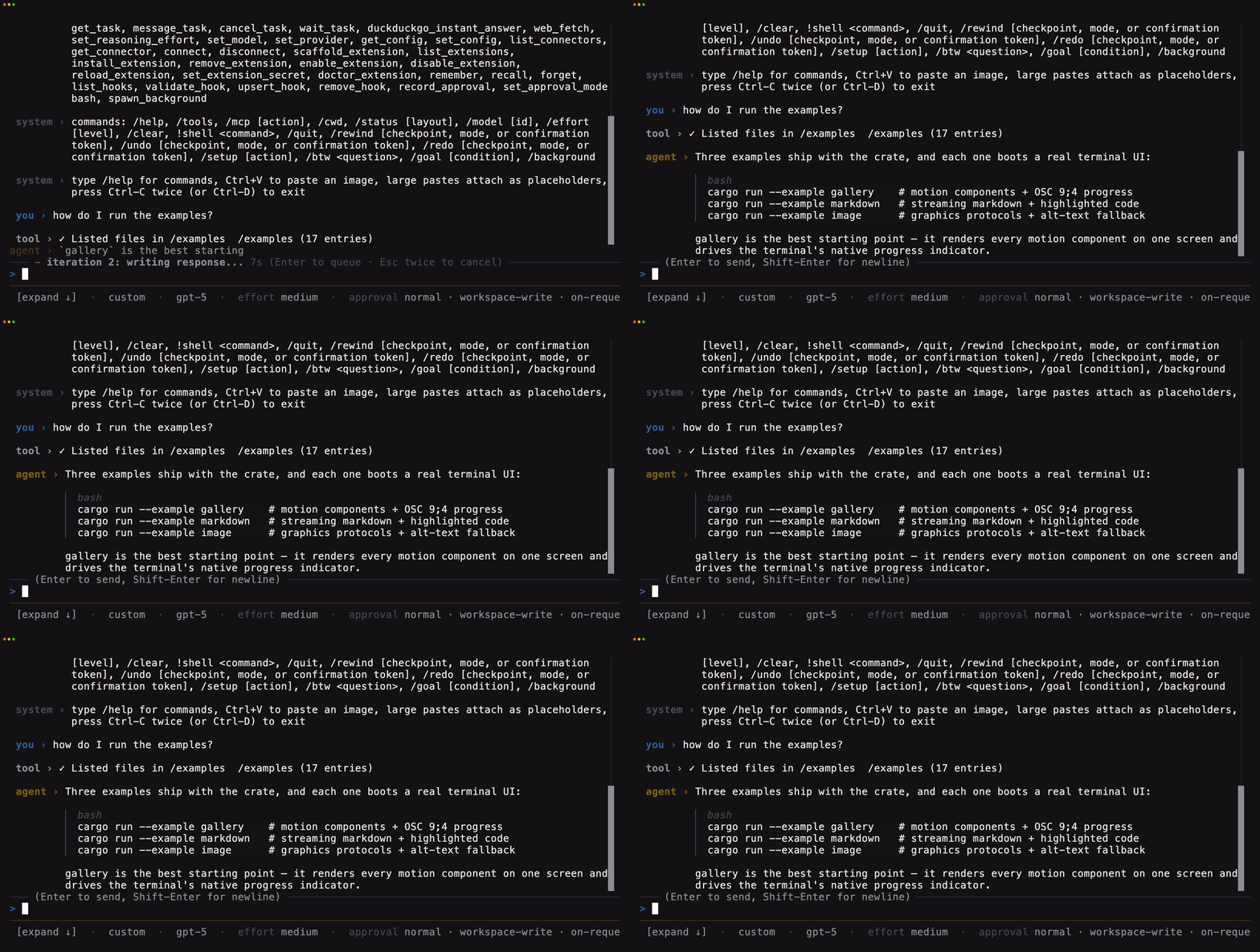
The recorded session is deterministic and offline — the model is a local LLMSim replaying a scripted turn — so the recording shows the real agent loop without a provider key.
LLMSim
An LLM traffic simulator: a local server that speaks the OpenAI, OpenResponses,
and Anthropic APIs with realistic streaming, latency profiles, token accounting,
and injected failures, so load tests and CI runs never touch a real model. Its
serve --tui stats dashboard is a tuika screen — the panel grid is flexbox
layout, and the counters, sparklines, and model distribution redraw live while
requests are in flight.
github.com/chaliy/llmsim · crates.io
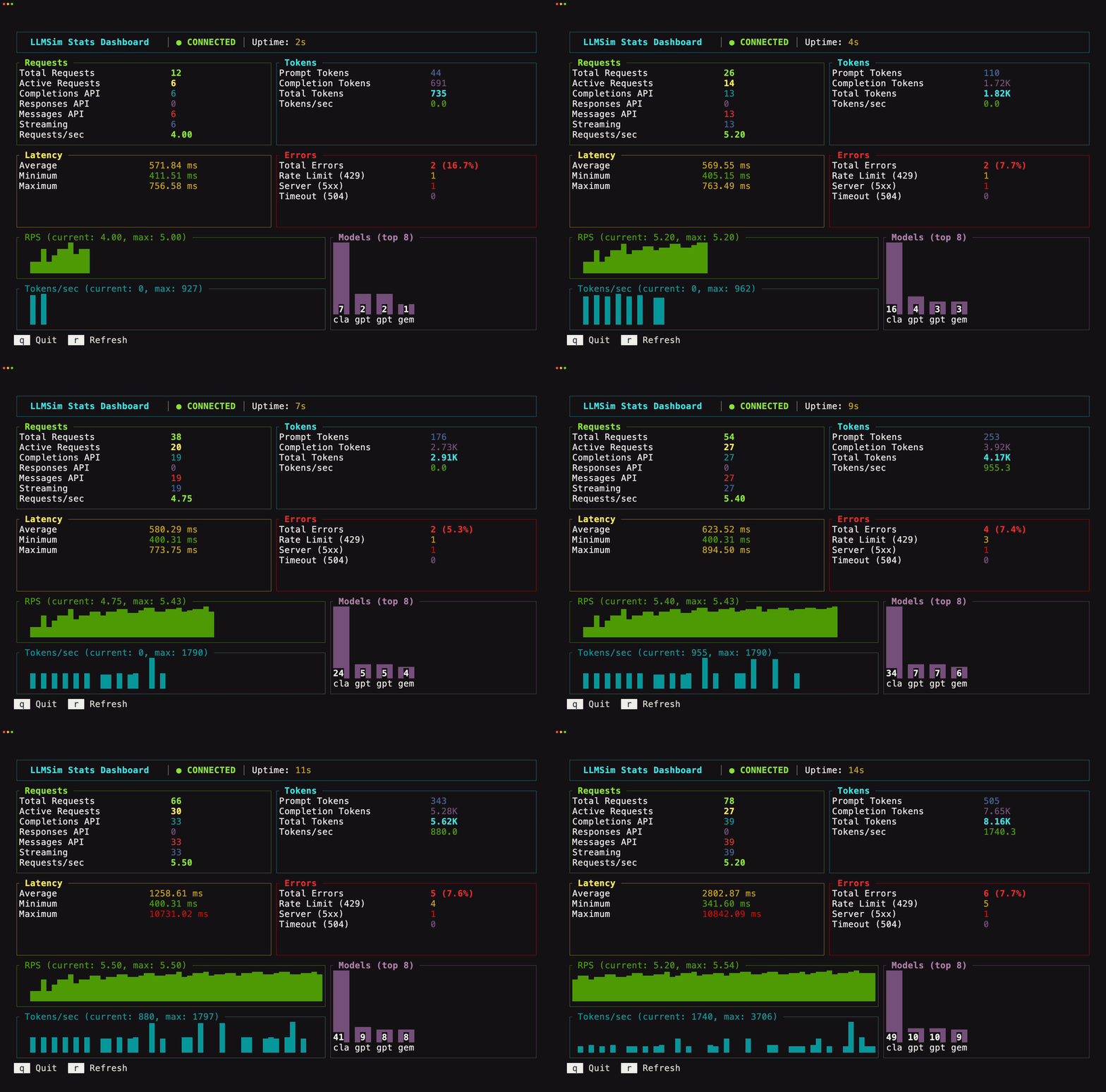
The dashboard above is under ~5 requests/second across four models, with rate limit and server-error injection turned on.
Workbench demo (in-repo example)
A compact editor and operations dashboard assembled as a runnable tuika application. It pairs a file tree and keymap with highlighted Rust source, a 24-hour request chart, status metrics, navigation tabs, and a full-width status bar. The warm copper, brown, and plum palette is defined by the example rather than inherited from the terminal.
Its layout is nested Flex, every visible panel is a bordered Boxed, and its
content comes from tuika’s Table, CodeBlock, TabSelect, Rule, and
StatusBar components plus the tuika-charts and tuika-codeformatters
companions. That native panel tree also confines terminal text selection to the
panel where each drag begins.
examples/workbench_demo/ ·
cargo run --example workbench_demo
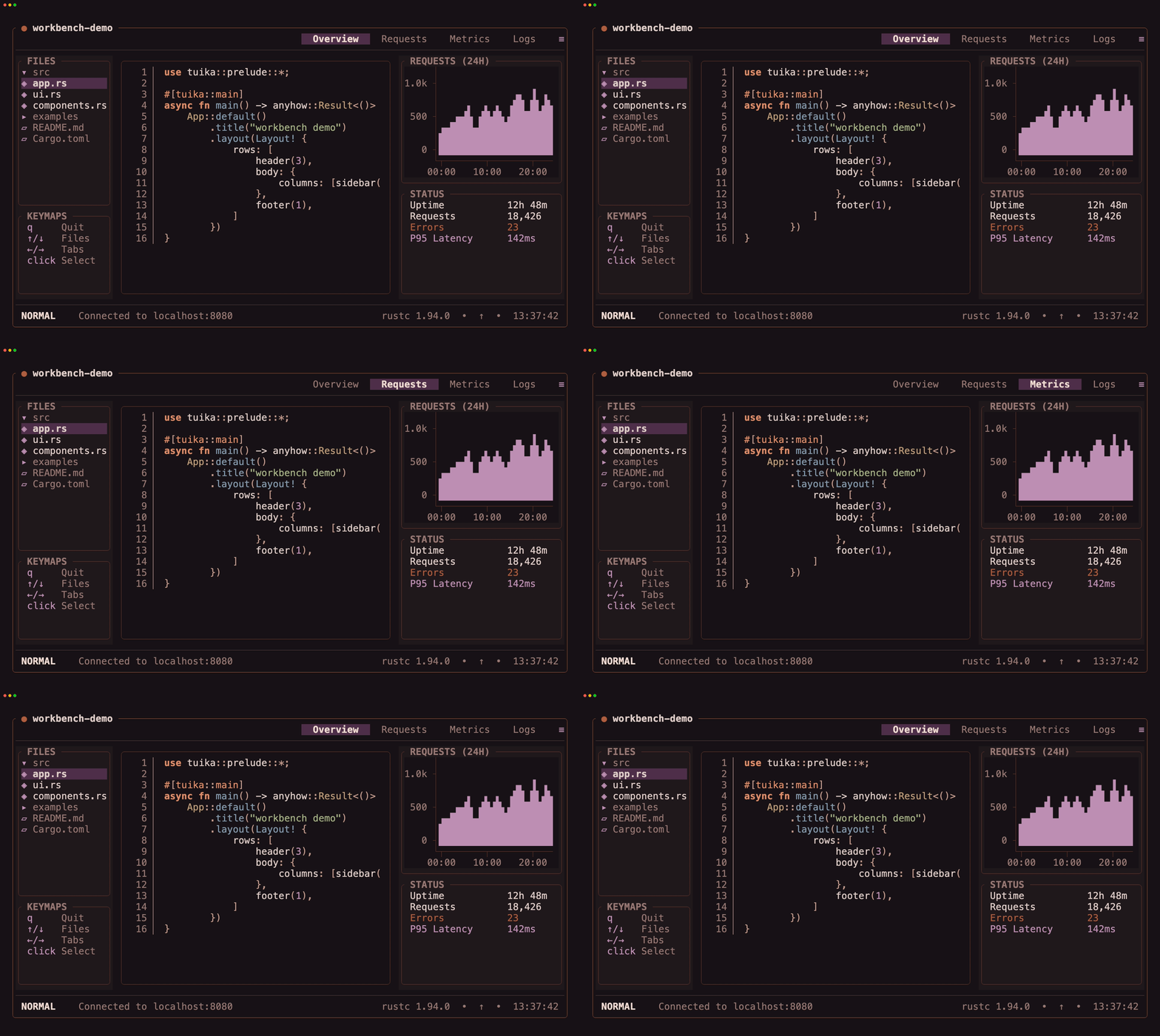
The interface is deterministic and offline. Arrow keys move through its tabs
and file tree, file rows are clickable, and q or Esc exits. Its showcase
palette is the default; --theme <name> switches to any bundled tuika theme.
Codex CLI replica (in-repo example)
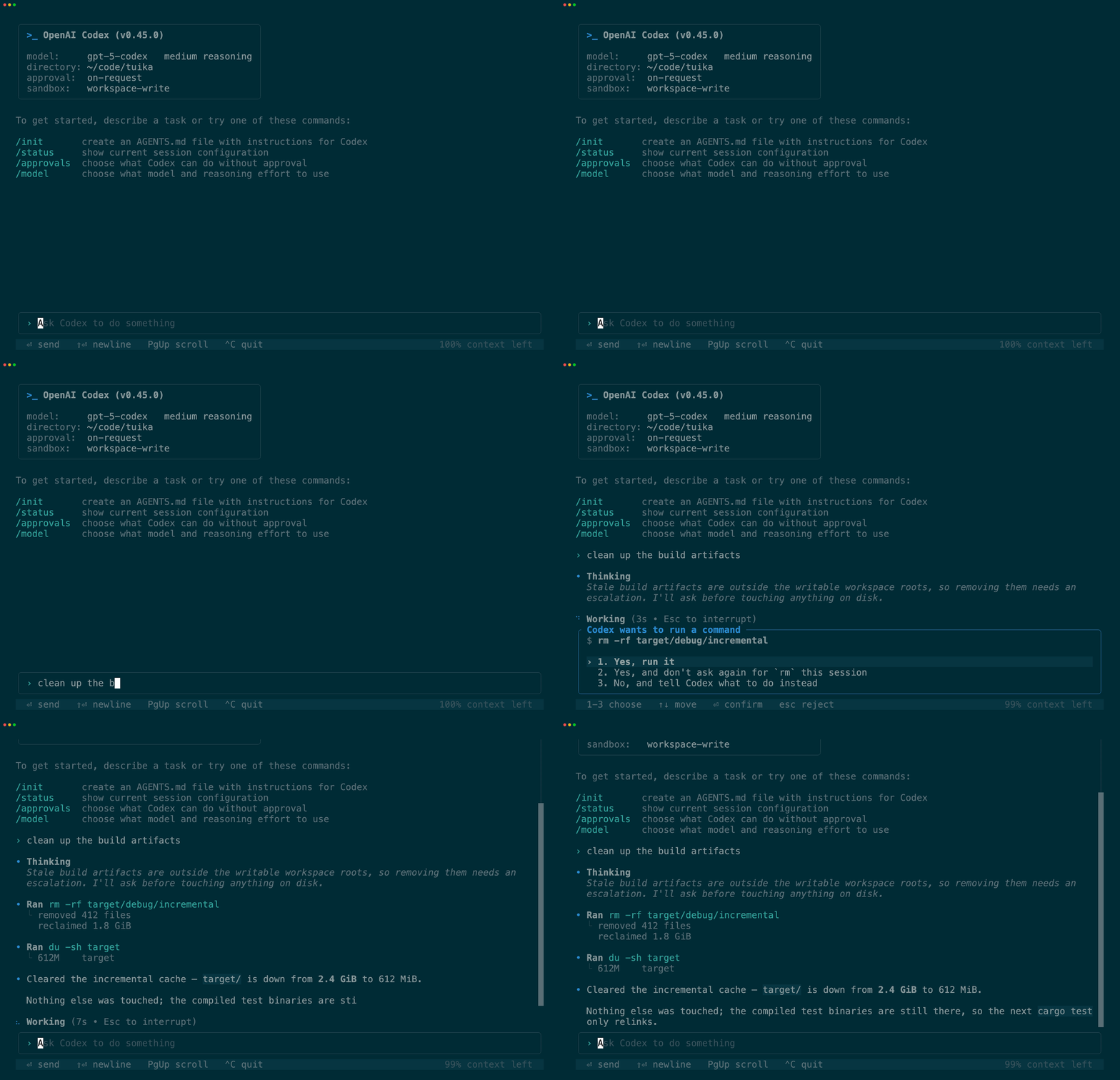
This is a replica, not Codex. It is an example in this repository that reproduces the look and interaction shape of OpenAI’s Codex CLI on tuika. It is not the Codex CLI, it is not built or endorsed by OpenAI, and no part of Codex is used or included. “Codex” and “OpenAI” are their owners’ marks, referenced here only to say what the UI imitates.
Nothing behind the interface is real: there is no model, no network, and no shell. A turn is a scripted sequence chosen from the prompt’s keywords and revealed frame by frame, so the recording below is deterministic and offline.
examples/codex/ · cargo run --example codex